

GPT Image 2.6 Flare
Use the GPT Image 2.6 Flare API to generate images, edit reference images, and make animated GIFs. Enter a text prompt for a still image or GIF, or upload a reference image for image-to-image editing. Create e-commerce product images, ad creative variations, and animated social media assets. Describe the subject, style, and composition in your prompt, or specify what should change in the reference image. The detail page lists request examples, supported parameters, and usage pricing.
Overview for yir
GPT Image 2.6 is available on OpenAny in two versions. Start with Flare to draft product images and posters or try several compositions. Try Sunburst at medium or high quality when you need to preserve a character, product, or brand detail across multiple edits. The yir route for each model supports text-to-image, image-to-image, and text-to-GIF. OpenAI release notes · Flare on OpenAny · Sunburst on OpenAny
Two posters from the same prompt
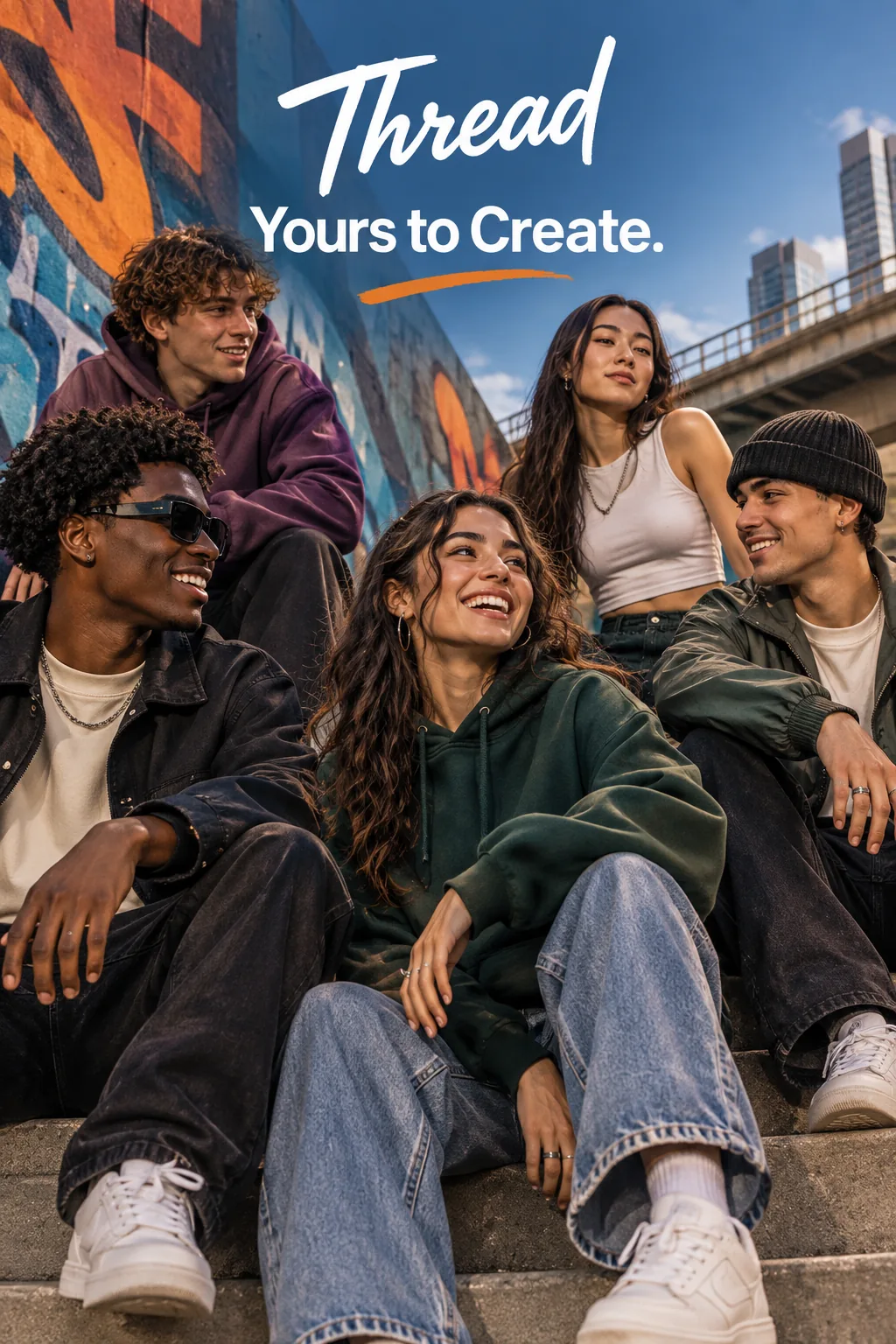 Streetwear poster for Thread generated with Flare
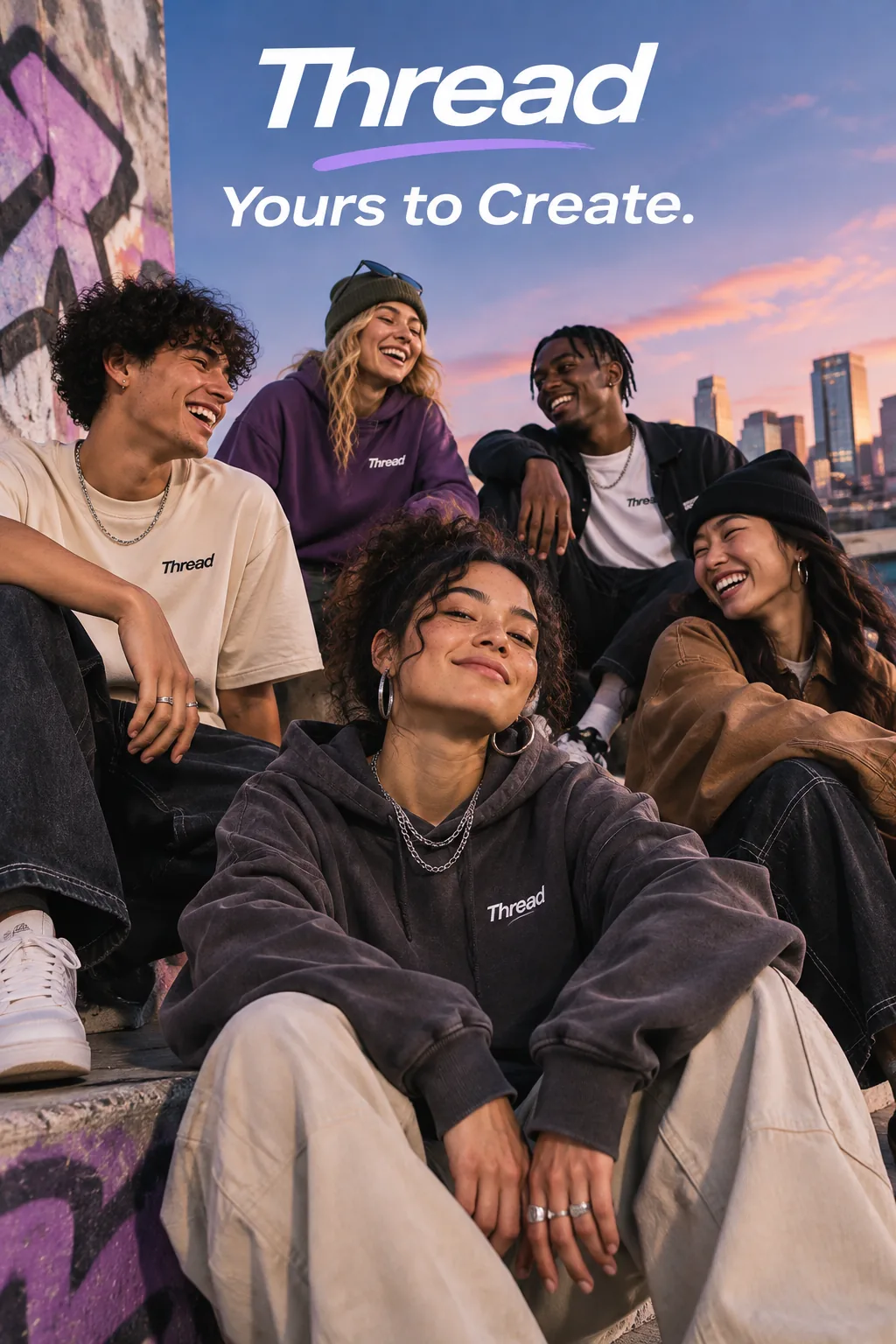 Streetwear poster for Thread generated with Sunburst
OpenAI generated both posters from the same prompt at 1024×1536 and medium quality. Flare is on the left and Sunburst is on the right. The brief calls for a group of friends in an ad for the streetwear brand Thread, with the line “Yours to Create.” appearing once. Check the spelling, whether the line appears more than once, and whether it overlaps anyone in the scene. OpenAI poster examples and full prompt
Looping GIF examples
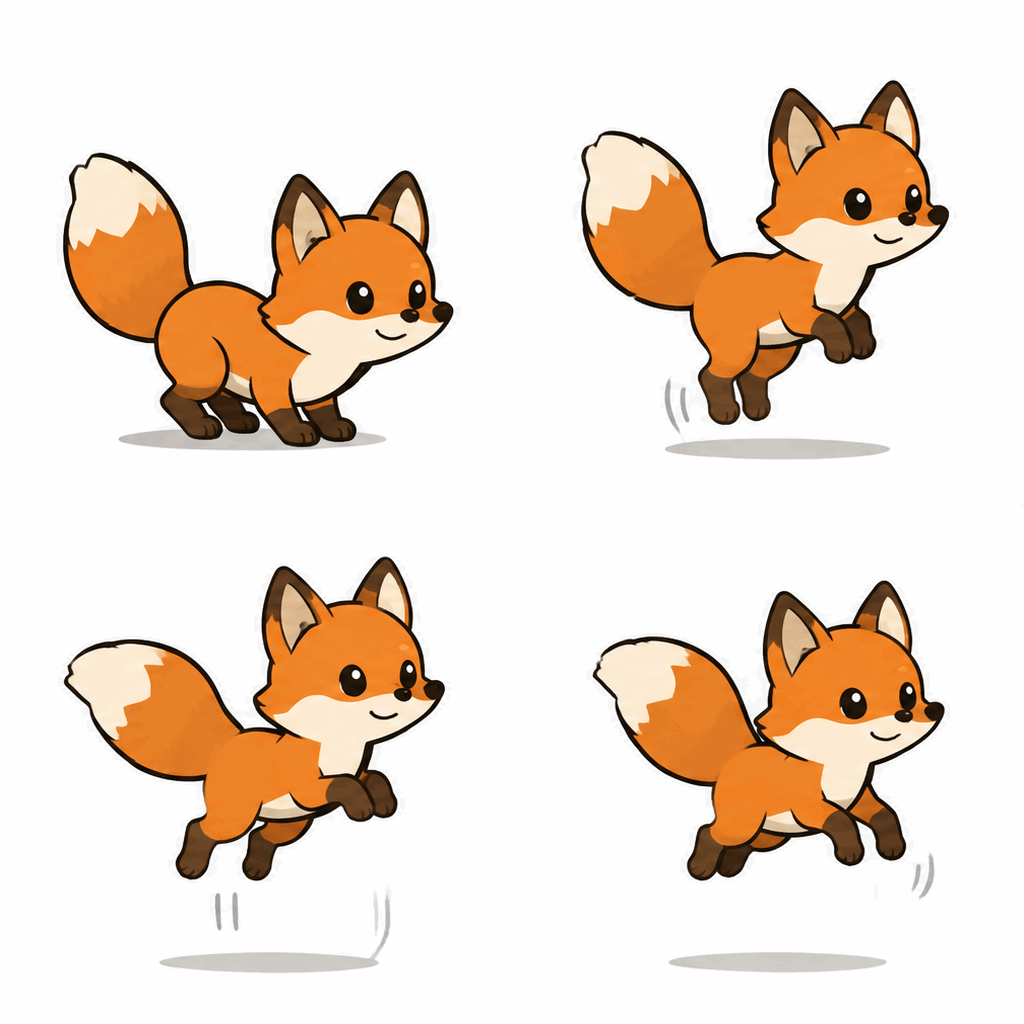 An orange cartoon fox hops in place in a GIF generated with Flare
 A monkey raises and lowers a lantern in a looping GIF generated with Sunburst
Example | Input and action | Sample settings |
|---|---|---|
Flare · Hopping fox | An orange cartoon fox jumps and lands in the same spot. |
|
Sunburst · Lantern in the snow | A monkey raises a lantern, blinks, then lowers it back to chest height. |
|
SeedRouter published the fox GIF, and OpenAI published the lantern GIF. Both sets of dimensions, frame counts, and quality levels fall within the parameters listed for text-to-GIF on OpenAny. Flare sample · Sunburst sample and full prompt
Choose a mode and settings
Task | Playground mode | Starting settings |
|---|---|---|
Try poster compositions for one product | Text to image | Start at |
Replace the background while preserving the packaging and label | Image to image | Add a public HTTPS image as |
Animate a sticker or mascot | Text to GIF | Start at |
Still images support 1K, 2K, and 4K in several aspect ratios. Both models offer low, medium, high, xhigh, and max quality. GIFs support 2–16 frames at 512×512 and 2–12 frames at 768×768, with 20–2,000 ms per frame. Choose the aspect ratio for your destination before choosing the resolution. Flare parameters · Sunburst parameters
Quickstart
In the Flare Playground, select the yir route and Text to GIF (512×512). Use the request below to generate a looping paper pinwheel. Check that the camera stays still and the last frame leads smoothly back to the first. To compare the models, keep the settings and change model to gpt-image-2.6-sunburst.
Send a POST request to https://api.openany.si/v1/images with the header Authorization: Bearer $OPENANY_API_KEY.
{
  "model": "gpt-image-2.6-flare",
  "route": { "provider": "yir" },
  "route_mode": "balanced",
  "input": {
    "type": "text",
    "prompt": "A red paper pinwheel on a white desk turns clockwise by one full rotation. Fixed front-facing camera and steady lighting. Keep the pinwheel centered and return smoothly to the starting angle for a seamless loop."
  },
  "parameters": {
    "output_format": "gif",
    "size": "512x512",
    "frame_count": 6,
    "frame_duration_ms": 200,
    "quality": "low",
    "n": 1
  }
}
Poll GET /v1/images/{task_id}. When the task succeeds, retrieve the file URL from result.files. Each request produces one image or one GIF.
Frequently asked questions
Can I animate a photo as a GIF? The GIF mode on these two OpenAny routes takes a text prompt. Use the reference image input for still images.
Can I export SVG? OpenAI's own API supports SVG. The OpenAny routes covered here offer still images and GIFs. OpenAI API capabilities