

Seedream 5.5
Access Seedream 5.5 on OpenAny for text-to-image generation and multi-image editing, with 1K or 2K output, HTTPS image references, and asynchronous image task retrieval.
Overview for yir
Seedream 5.5 API Guide for Image Design and Reference Editing
Seedream 5.5 is ByteDance's image generation and editing model. On OpenAny, use a text brief to draft a poster or visual concept, or supply reference images to guide an edit. Choose 1K or 2K output, describe the composition and wording you need, and retrieve the finished image with the returned task ID.
For a poster, specify the subject, layout, and exact lines of text. For an edit, identify the base image, explain what should change, and name the details that should stay intact. This gives you a concrete checklist for reviewing the result.
Example outputs
The images below are published Seedream 5.5 showcase examples. They are separate from the OpenAny request templates later in this guide; those templates have not been executed to produce these images.
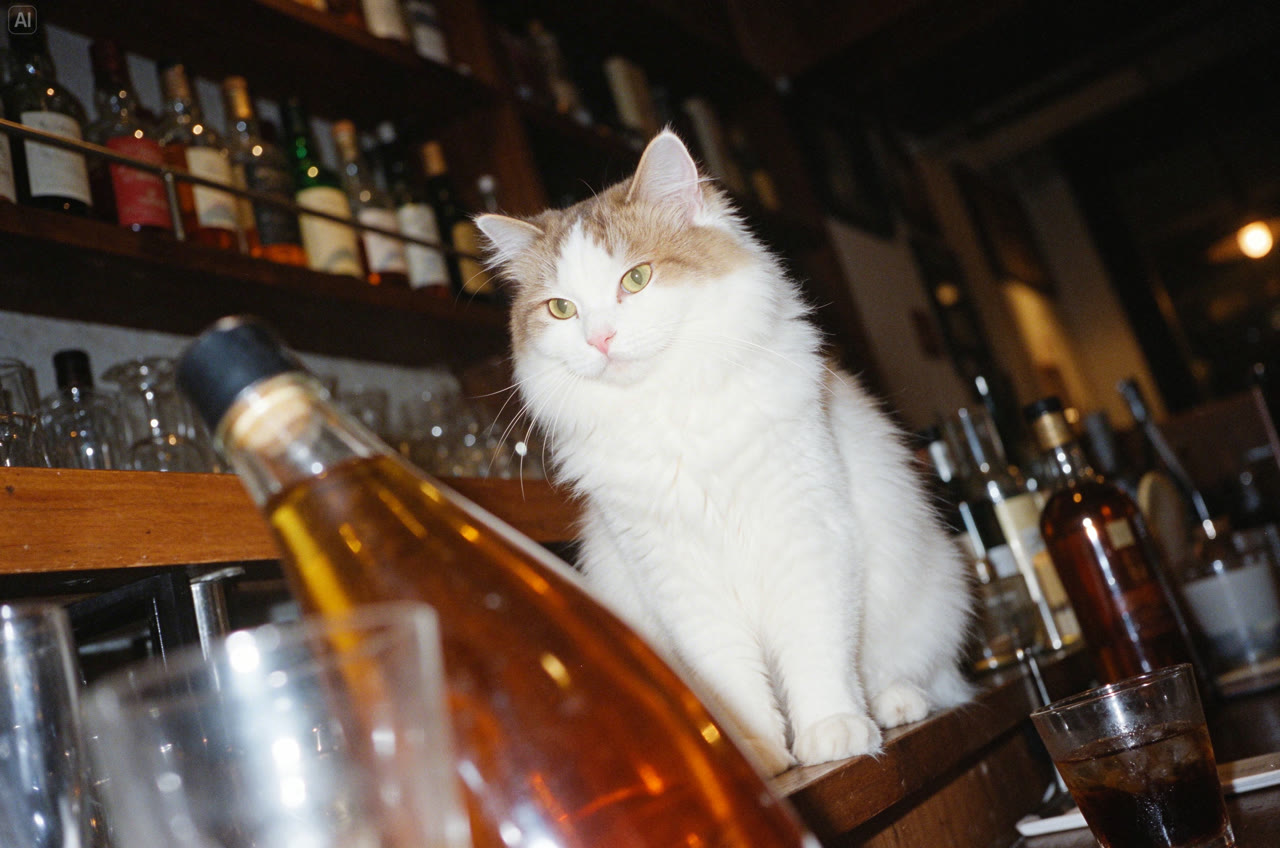 Seedream 5.5 showcase: White cat in a bar
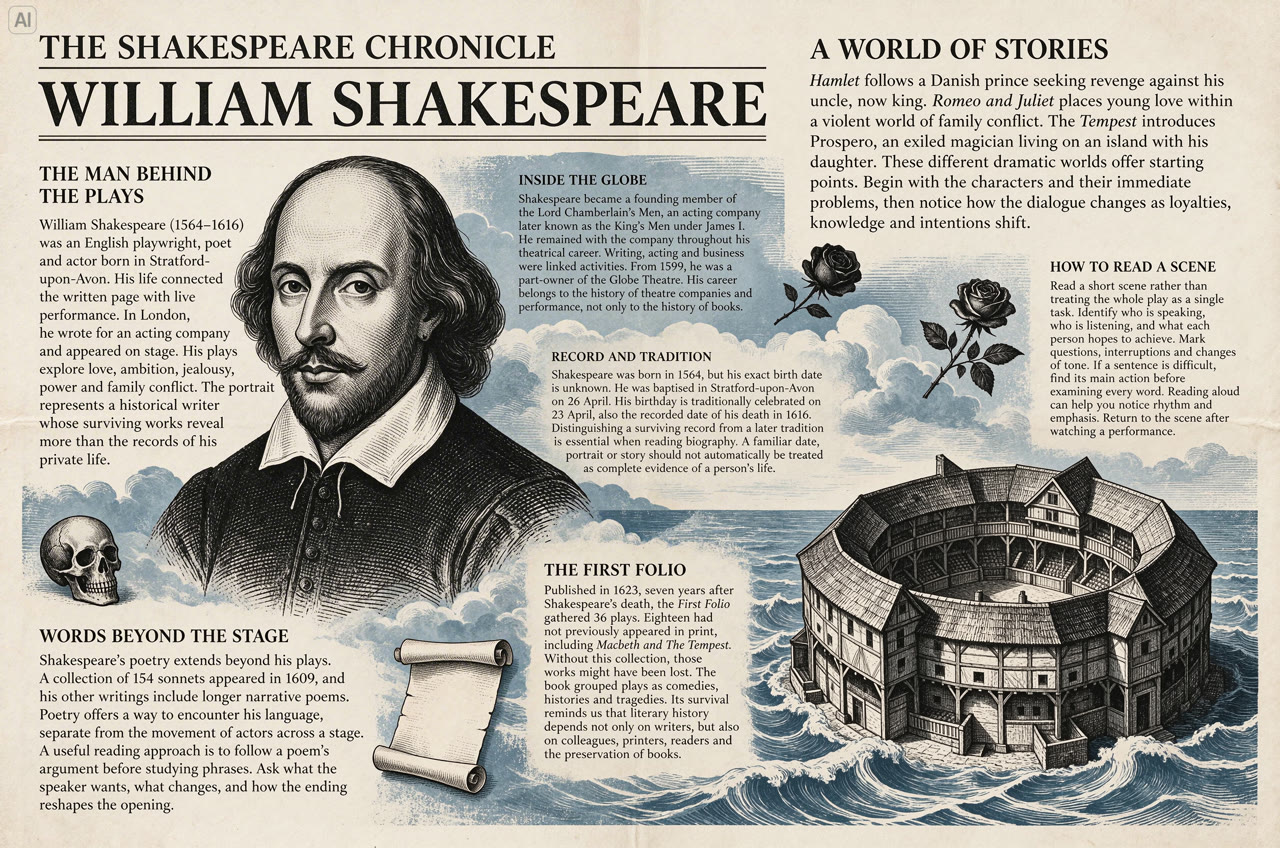 Seedream 5.5 showcase: Shakespeare newspaper layout
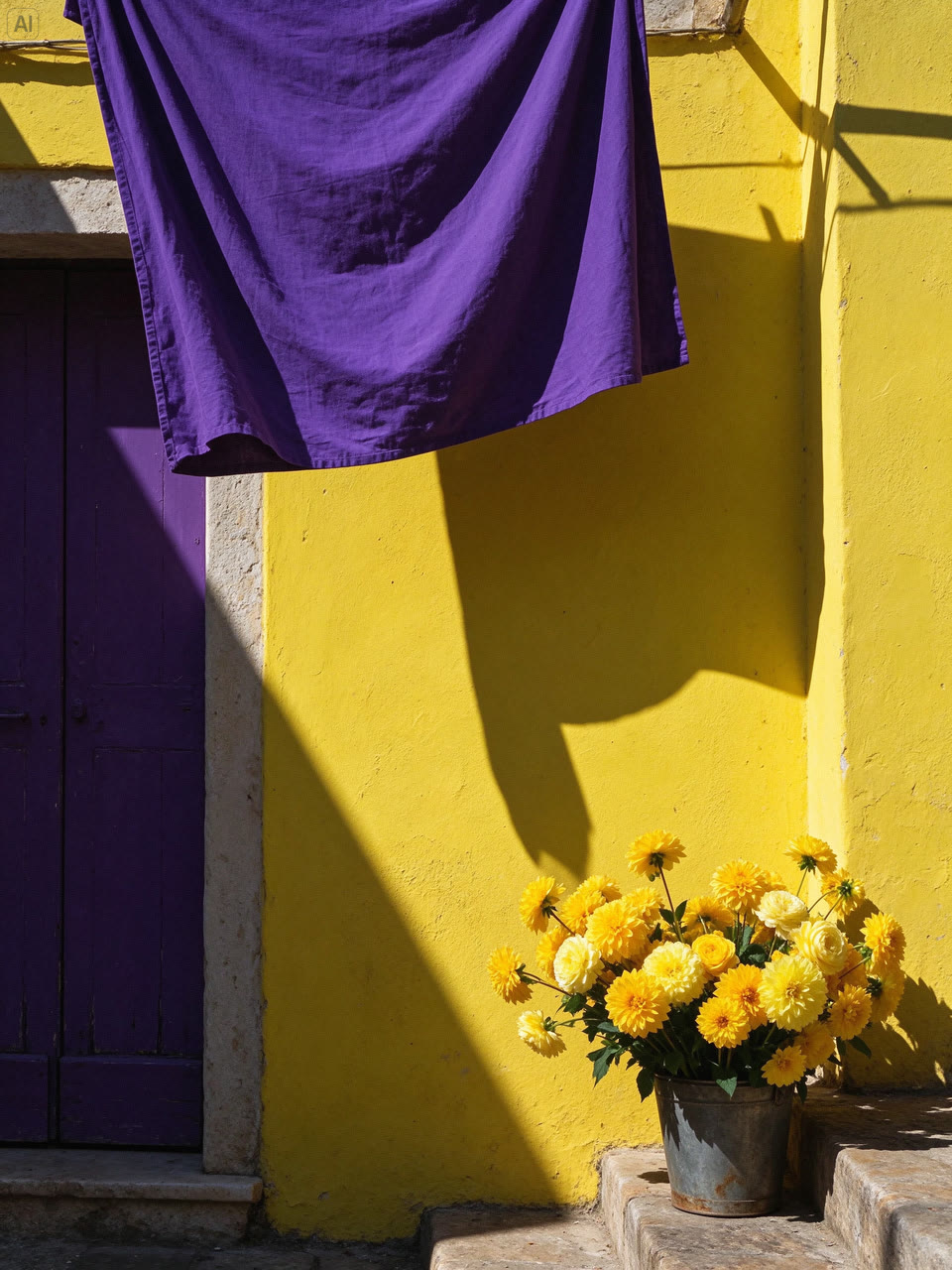 Seedream 5.5 showcase: Southern European street corner
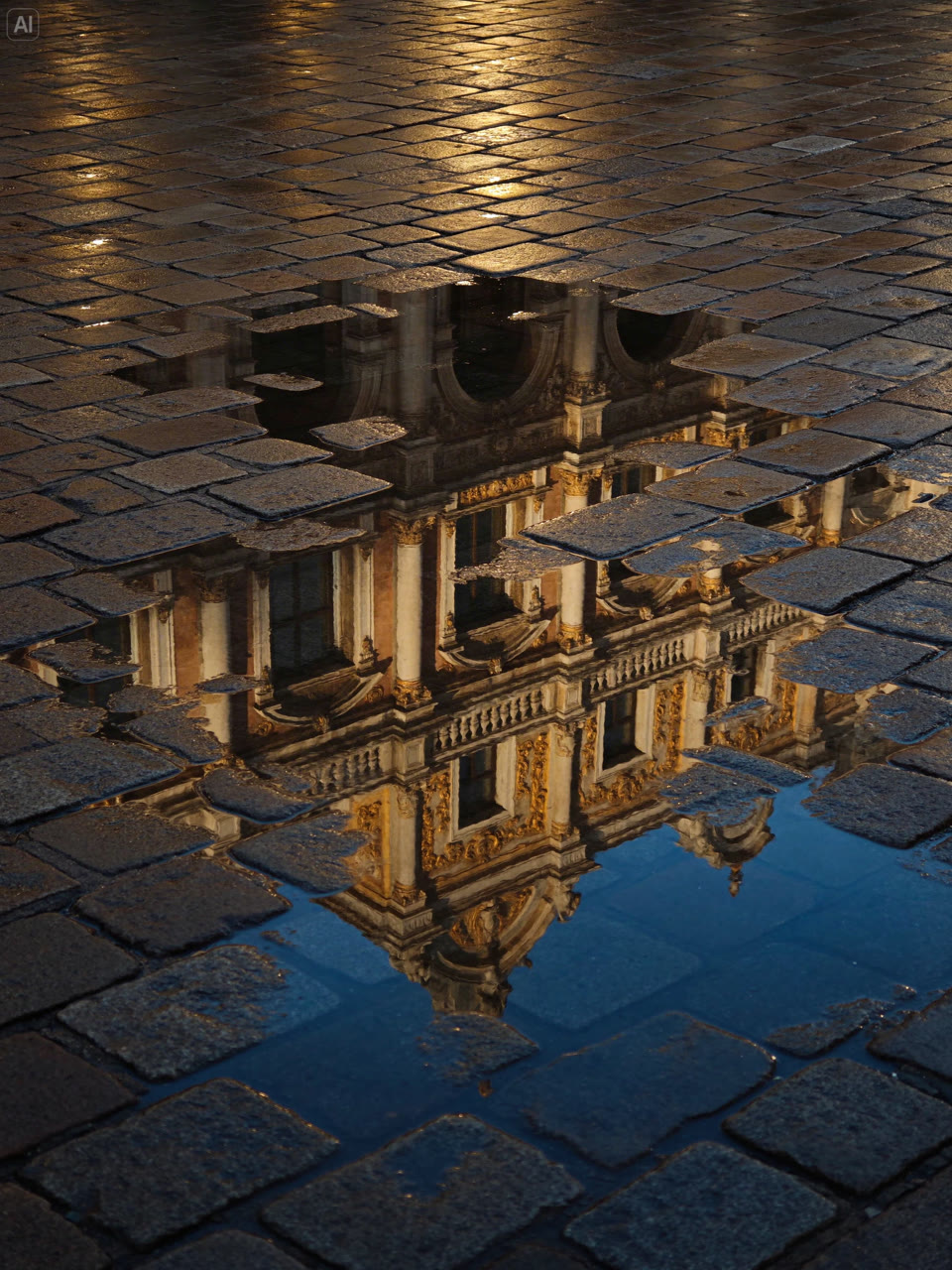 Seedream 5.5 showcase: Reflections after rain
Published example | What to check |
|---|---|
White cat in a bar | Review fur detail, glass reflections, the tilted framing, and the relationship between flash and ambient light. |
Shakespeare newspaper layout | Inspect headline hierarchy and body text at full size. Check names and facts before using any generated copy. |
Southern European street corner | Look at the color balance, plaster texture, fabric folds, and the direction of the afternoon shadows. |
Reflections after rain | Check how paving stones interrupt the reflection and whether ripples, highlights, and surface textures stay coherent. |
Open a picture to inspect its full-size version. Published Seedream 5.5 showcase and model information
Choose an input mode and output size
Setting | OpenAny configuration |
|---|---|
Text to image | Write a prompt describing the subject, composition, and any exact text to render. |
Image to image | Supply 1–10 public HTTPS image URLs. Use reference_image for each reference role. Explain how each reference should guide the result. |
prompt | Required in both modes; 1–5,000 characters. |
resolution | 1K or 2K; the default is 1K. Start with 1K for composition drafts and review fine details at 2K. |
aspect_ratio | 1:1, 4:3, 3:4, 16:9, 9:16, 3:2, 2:3, 2:1, 1:2, or 21:9. The default is 1:1. |
n | 1 output per job. Submit separate requests for additional variations. |
Seedream 5.5 is a separate model from Seedream 5.0 Pro. Use the Seedream 5.5 parameters above when adapting an older request. The current configuration exposes resolution, aspect_ratio, and n.
Quickstart
In the Playground, select Text to image. The platform template below describes a portrait poster with three short lines of English copy. It is a starting brief you can adapt, rather than the original prompt for a showcase image.
Send POST https://api.openany.si/v1/images with Authorization: Bearer $OPENANY_API_KEY and Content-Type: application/json.
{
  "model": "seedream-5.5",
  "route": {
    "provider": "yir"
  },
  "route_mode": "balanced",
  "input": {
    "type": "text",
    "prompt": "Create a portrait poster for a botanical workshop. Place one pale ceramic vase with green leaves on a warm cream background. Use generous margins and dark green typography. Render exactly three lines: 'BOTANICAL STUDY', 'SATURDAY WORKSHOP', and '10 AM - 1 PM'. Keep the vase unobstructed and do not add any other text."
  },
  "parameters": {
    "resolution": "1K",
    "aspect_ratio": "3:4",
    "n": 1
  }
}
Keep the task ID from the submission response, then poll GET https://api.openany.si/v1/images/{task_id} with the same authorization header. A queued or running job is still in progress. After it succeeds, read the delivered image URLs from result.files.
curl 'https://api.openany.si/v1/images/YOUR_TASK_ID' \
  -H 'Authorization: Bearer $OPENANY_API_KEY'
YOUR_TASK_ID is a placeholder. Before publishing the poster, compare all three lines with your prompt and review text spacing and subject placement. The API tab includes illustrative submission and task-query responses.
Edit a reference image
This platform template uses the published street-corner image as its base reference. It requests one local color change while preserving the rest of the scene. Replace the URL with your own public HTTPS image when adapting the request.
Base reference for the editing template: published Seedream 5.5 street-corner image
{
  "model": "seedream-5.5",
  "route": {
    "provider": "yir"
  },
  "route_mode": "balanced",
  "input": {
    "type": "image",
    "prompt": "Use the reference as the base photograph. Change only the hanging fabric to muted terracotta. Preserve the wall, door, flowers, camera angle, and afternoon shadows. Keep the fabric folds and lighting consistent with the original scene.",
    "references": [
      {
        "role": "reference_image",
        "url": "https://yir.ai/images/models/seedream-5-5/street-corner.jpg"
      }
    ]
  },
  "parameters": {
    "resolution": "1K",
    "aspect_ratio": "3:4",
    "n": 1
  }
}
No edited output is shown for this template because it has not been run. When reviewing your result, compare the fabric color and folds with the original, then check the door, flowers, perspective, and shadows for unintended changes.
For multiple references, append more objects to input.references, up to ten in total. State their roles in the prompt, for example: first image for composition, second for material, and third for color. Every object still uses role: reference_image. The reference count affects the published per-image quote.
Billing and usage limits
The table shows OpenAny reference selling prices in USD per generated image, including the current 10% platform markup. They are calculated from the published generation quotes checked on November 11, 2026, and vary with output resolution and reference-image count.
Final charge = completed task's settled generation cost × 1.10. The final amount is rounded up to the platform's billing precision. The markup is included in the table below; do not add it again.
Input | 1K, OpenAny reference price | 2K, OpenAny reference price |
|---|---|---|
Text only | USD 0.0143 | USD 0.025025 |
1 reference image | USD 0.02002 | USD 0.030745 |
2 reference images | USD 0.02574 | USD 0.036465 |
3 reference images | USD 0.03146 | USD 0.042185 |
4 reference images | USD 0.03718 | USD 0.047905 |
5 reference images | USD 0.0429 | USD 0.053625 |
6 reference images | USD 0.04862 | USD 0.059345 |
7 reference images | USD 0.05434 | USD 0.065065 |
8 reference images | USD 0.06006 | USD 0.070785 |
9 reference images | USD 0.06578 | USD 0.076505 |
10 reference images | USD 0.0715 | USD 0.082225 |
At these published generation rates, each reference image adds USD 0.00572 to the OpenAny reference price at the same resolution, including the 10% markup. These amounts are a guide for one output. Actual generation charges may change; the completed task's final billing amount is authoritative.
Common questions
Can I pass image URLs?
Yes. Use directly accessible HTTPS image URLs in input.references. An image-editing request needs between one and ten references.
How do I request several output images?
This model configuration uses n: 1. Submit separate jobs for additional outputs and retain each task ID.
Where is the finished image?
The initial response identifies the task. Poll GET /v1/images/{task_id} until the job succeeds, then read its image URLs from result.files. Inspect a failed job's error before submitting a new request.
Are the example images results of these templates?
The showcase images are published examples for Seedream 5.5. The text-to-image and image-editing requests are OpenAny templates provided for you to adapt. No generated result is claimed for either template.